
Bus Stop Resource Hub
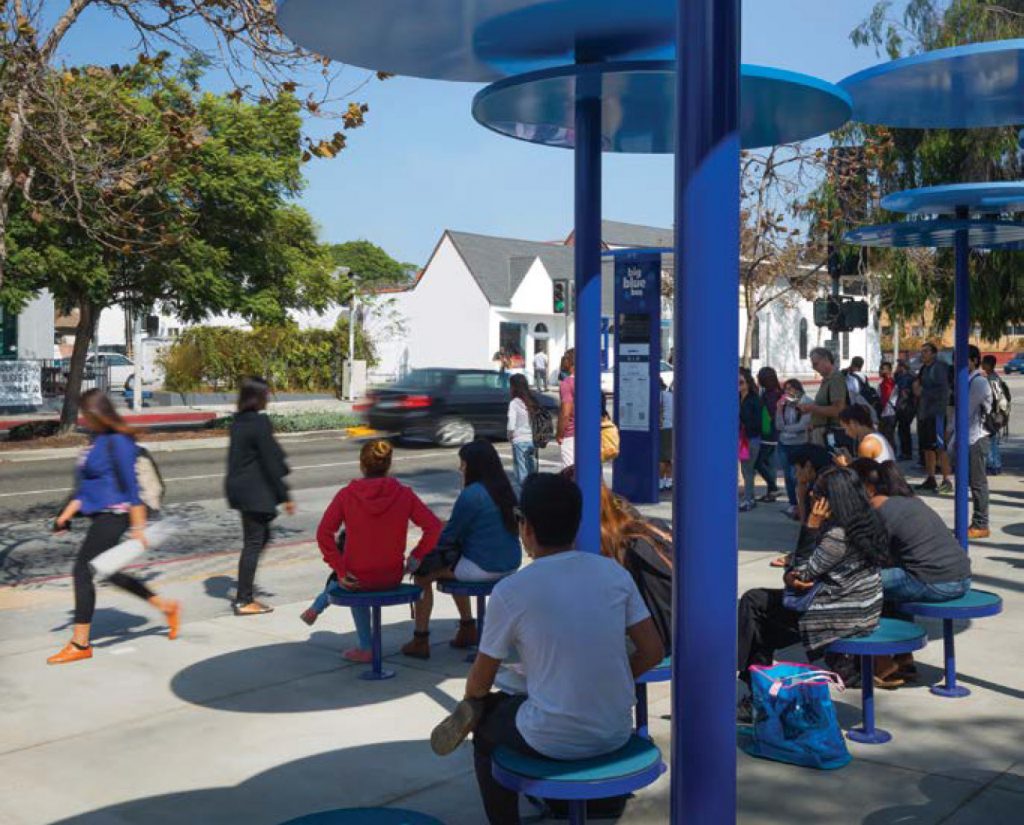
Big Blue Bus, which serves the city of Santa Monica and the Westside region of LA County, redesigned its bus stops in 2016, using modular components to create attractive and unique public spaces. Designed by LOHA, the modular components allow for individual bus stops to be customized based on ridership, available right-of-way and sun exposure. Optional amenities include flexible and shaded seating, consolidated information signage canopy, rain protection and rainwater capture, high-efficiency light-emitting diode (LED) lighting and combined recycle and trash receptacles.
To provide the best experiences, we use technologies like cookies to store and/or access device information. Consenting to these technologies will allow us to process data such as browsing behavior. Not consenting or withdrawing consent may adversely affect certain features and functions. We do not sell or share personal information to third parties for monetary consideration.
This tool is best used on desktops and laptops.
Step 2: Add your amenities to your bus stop
Step 3: Save your design
This tool is best used on desktops and laptops, and when the background image you choose below is viewed straight on
Step 1: Find your background image
NOTES: It’s possible Google hasn’t created a Street View for some bus stops. If this is the case for the bus stop you want to add amenities to, you may want to consider taking a smartphone photo of that bus stop and uploading it here via the “Upload Background” button (crop your image square). Per Google Street Map View compliance rules, it is not possible to edit the lighting or shading of a Google Street View background, so choose thoughtfully or upload your own image.
Once you have your chosen bus stop background on the right, select the “Design Bus Stop” button to go to the next screen to then add amenities.